How To Set Up Hatch Sleep Clock For Your First Night

A good first night starts before your head reaches the pillow. Set up your clock, position its sensor correctly, and build a routine that feels natural.
All featured products are selected by our editors and may include affiliate links. If you purchase through these links, we may earn a commission.
Opening a new Hatch Sleep Clock is the easy part. Getting the connection, bedside position, bedtime routine, sleep tracking, and morning alarm right deserves a little more attention. Fortunately, most of that work happens during one guided setup.
This guide walks through what matters before your first night, including a few details that are easy to overlook when you simply follow prompts on your phone.
What To Know Before Starting Your Hatch Setup
Set aside a few minutes before bedtime rather than beginning when you are already tired. You will need the Hatch Sleep app, your WiFi details, Bluetooth enabled on your phone, and access to a power outlet near your bed.
Hatch specifies that Sleep Clock requires a 2.4GHz WiFi connection. Bluetooth plays a different role. Hatch Support explains that compatible WiFi devices use Bluetooth to discover the clock during registration, then rely on WiFi after registration is complete.
Getting The Hatch Sleep App Ready
Download the Hatch Sleep app and log in or create an account. Plug in the clock, open the app and follow the directions. If asked, provide Bluetooth permission, denying this permission may stop your phone from detecting the device when you first set it up.
If you are looking for how to set up Hatch, it is easy to think that Bluetooth manages the ongoing connection. In actuality, Bluetooth is useful for registration, and WiFi is useful for on-going app connectivity and customisation. Having both available at set-up time eliminates one common cause of needless problems.
How To Set Up Hatch Sleep Clock In The App
Once the app detects your device, follow the guided connection process and complete the initial questions. Hatch uses these choices to begin shaping your nightly Plan, including when you want to get into bed, how you prefer to wind down, and when you want to wake.
Don’t spend too much time seeking perfect settings on nite 1. You can also adjust your bedtime, audio selections, light and alarm later. A smaller routine will give you a better notion of what feels useful before you start adding steps.
Getting Hatch Sleep Clock Placement Right
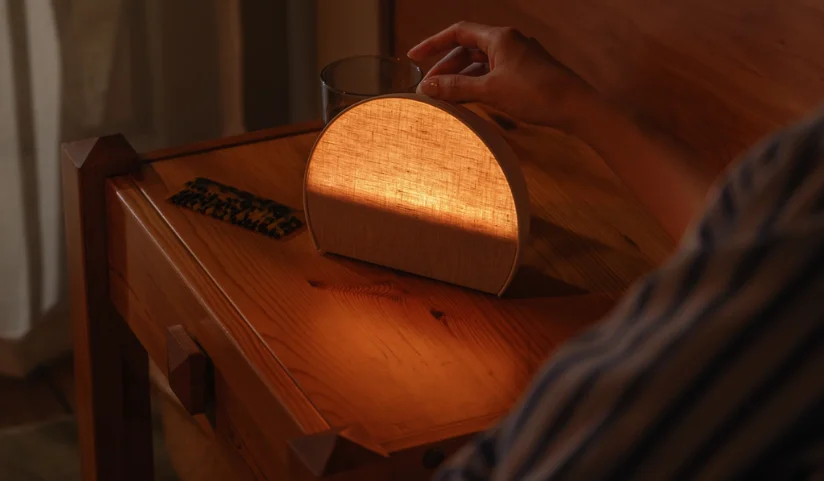
Physical placement deserves as much attention as app settings because Sleep Clock tracks breathing patterns and small movements from the nightstand. Hatch says the contactless system does not use a camera or microphone and requires nothing to be worn or charged overnight.
Giving Sleep Tracking A Clear View
Hatch recommends placing Hatch Sleep Clock roughly at mattress height, around two to four feet from where you sleep. Point the clock toward your chest when you are lying down and avoid putting large objects between the device and your sleeping area.
That positioning detail is worth checking before your first night. One verified Hatch review supplied on the product page specifically notes that tracking worked accurately when the clock was positioned according to the instructions. If you share a bed, Hatch says its sensors are calibrated to follow the person closest to the device.
Building Your First Bedtime Plan
Your Plan combines morning and evening settings. Hatch breaks it down into Bedtime, a Bedtime Playlist and Rise Time. Bedtime is when you want to go to bed, and your playlist decides the order of light and audio for winding down.
Good Hatch Instructions should also explain one detail that can otherwise feel confusing. A scheduled Turndown can signal that bedtime is approaching with light and audio, but Hatch says that sequence continues until you tap the top of Sleep Clock to begin your Bedtime Plan.
Creating Your Bedtime Playlist
Start with a small sequence that you will use. Choose the light and sound that match your usual pre-sleep routine instead of creating a complex one just because you have multiple options available.
Hatch+ expands the available library with more than 2500 audio options, according to Hatch. Sleep tracking, nightly plans, personalized insights, and recommendations are included with Sleep Clock, so a continuing Hatch+ membership is not required to access your sleep data.
Setting Up Your Sunrise Alarm
Open the Hatch Sleep app and pick Rise Time. Pick the hour of your alarm, the days you want it to ring, the sound, sunrise light and how long you want the sunrise to be. Hatch lets you examine those choices before you save them, which comes in handy when choosing brightness in a dark bedroom.
Before going to bed, check the days you have saved. Still an issue with the alarm correctly set when you don't choose tomorrow. Just to be extra safe on your first night, after saving, make sure the alarm is listed under Rise Time.
Understanding Your Hatch Sleep Clock Controls
One big advantage of doing Hatch Setup right is that you won’t need to reach for your phone as often during bedtime. There are a number of common actions you may take control of directly from Sleep Clock including starting your sleep ritual and managing your morning alarm.
When the alarm sounds, tapping the large button snoozes it for nine minutes. Pressing and holding that button turns the alarm off. Hatch says the snooze duration cannot currently be changed, and a sunrise light remains illuminated while alarm sound is snoozed.
What Happens During Your First Few Nights
Please don’t judge sleep tracking from one morning. The first few nites are a calibration period as the Sleep Clock starts to understand your tendencies, says Hatch. The longer you use the app, the more valuable sleep insights emerge. Hatch says recommendations surface after seven days and can modify according to the preceding night.
Sleep Clock detects presence, breathing, movement, restlessness, and sleep stages through its contactless sensor. Hatch reports 97 percent sleep detection accuracy for the underlying sensing technology based on third party validation against polysomnography. That figure concerns validated sleep detection rather than a guarantee that every individual nightly reading will be 97 percent accurate.
FAQs
Does Hatch Sleep Clock Need WiFi?
Yes. Hatch states that a WiFi connection is required, including for app based control and customization. The product specifications call for a 2.4GHz WiFi connection.
Does Hatch Sleep Clock Need Hatch Plus?
No. Sleep tracking, personalized insights, recommendations, and the nightly Plan are included with Sleep Clock. Hatch+ adds access to the larger premium audio library, and a 30 day trial currently comes with the device.
Can Hatch Sleep Clock Track Two People In One Bed?
Hatch says the sensor is calibrated to track the person closest to Sleep Clock, so sharing a bed should not automatically mix another person's movements into your data.
A thoughtful first night with Hatch does not require filling every playlist slot or testing every setting. Get the connection stable, position Hatch Sleep Clock correctly, create a bedtime sequence you can realistically repeat, and confirm your morning alarm. Giving the routine a few nights also makes it easier to see which settings genuinely suit your sleep habits.
Follow TheWeeklyFind for more practical home and health guides.
Recent Blogs
-

How to Use the Pebblebee Finder to Locate Your Lost Keys and Bags
Lost keys at home or left your bag somewhere? Discover how Clip 5 helps locate missing belongings and what to do when location updates stop.
-

Solar Lights That Make Your Garden Just as Inviting After Dark
Your garden deserves a little attention after sunset, too. Discover lighting ideas that make outdoor spaces feel inviting long after daylight fades.
-

Auguste Mini Dresses You Will Want To Wear On Repeat
Some dresses look good once and then disappear into the wardrobe. These four Auguste styles are easier to imagine wearing again and again.
-

Weekday Clothing Picks For Men Who Need Better Everyday Jeans
Some trousers earn a permanent spot in your weekly rotation. These five Weekday Jeans are selected with easy styling and repeat wear in mind.
-

How To Choose Better Seats On Emirates Without Paying Unnecessary Fees
Understand seat selection charges before paying extra. Find out when better choices become free and which exceptions help families.